
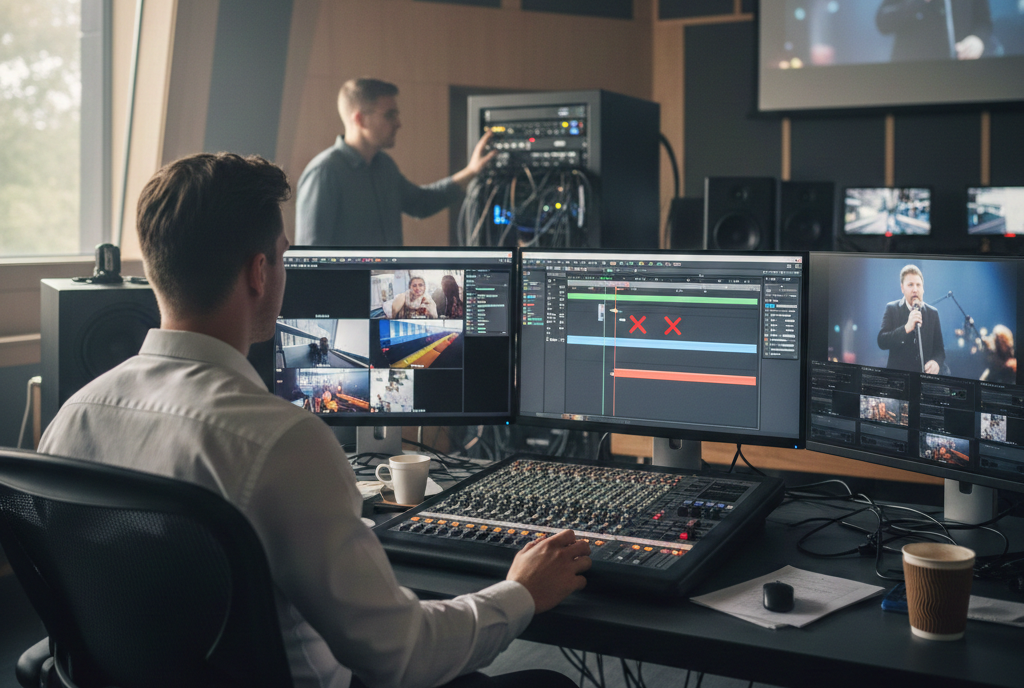
ProPresenter is widely regarded as one of the most reliable and powerful presentation tools for live environments. From worship services and conferences to concerts and corporate events, it plays a central role in delivering polished visual and audio experiences. When everything works as intended, it feels seamless. When audio and video fall out of sync, however, the problem becomes immediately noticeable and deeply disruptive. Voices no longer match lips, music cues feel late or rushed, and the overall professionalism of the production suffers.
The issue of ProPresenter not syncing audio and video is more common than many users expect. It affects beginners and seasoned operators alike, often appearing suddenly even in systems that have worked perfectly in the past. Understanding why this happens requires looking beyond a single setting or toggle. Audio and video synchronization is influenced by media encoding, hardware performance, operating system behavior, output configuration, and the way ProPresenter processes content in real time. This article explores all of those factors in depth, offering clear explanations and practical insight without relying on technical shortcuts or superficial fixes.
What Audio and Video Sync Really Means in ProPresenter
Audio and video sync refers to the precise timing relationship between what you hear and what you see. In an ideal scenario, sound and image are perceived as one unified event. In ProPresenter, this depends on how quickly audio samples are processed compared to how video frames are decoded and displayed. Even a delay of a few milliseconds can be noticeable, especially when people are speaking or singing on screen.
ProPresenter processes audio and video through different subsystems, even when they are embedded in the same media file. Audio is typically prioritized to avoid pops, clicks, or dropouts, while video frames may be dropped or delayed if system resources are constrained. This prioritization is one of the reasons audio often seems “ahead” of the video when sync problems occur. The software is doing what it was designed to do, but the surrounding conditions prevent perfect alignment.
Why Sync Issues Matter in Live Environments
In live production settings, sync problems are not merely technical imperfections. They directly affect communication and engagement. In worship services, delayed lyrics can confuse congregations and disrupt musical flow. In conferences or presentations, mismatched speech and visuals reduce clarity and credibility. In streamed or hybrid events, sync issues can multiply as audio and video travel through additional layers of processing before reaching viewers.
Because ProPresenter is often used in high-stakes, time-sensitive situations, operators rarely have the luxury of troubleshooting during an event. That is why understanding the root causes ahead of time is so important. Most sync problems can be prevented with proper preparation, but only if users understand where the risks come from.
How ProPresenter Handles Media Playback Internally
To understand why ProPresenter may fail to keep audio and video aligned, it helps to know how the software plays media. When a video is triggered, ProPresenter relies on the operating system’s media frameworks to decode the file. Video frames are processed by the CPU and GPU, then sent to the display pipeline. Audio samples are decoded separately and routed through the selected audio output device.
These processes must remain tightly coordinated. If the video decoder struggles to keep up, frames may be displayed late or skipped. If the audio pipeline introduces latency due to hardware or processing, sound may arrive later than expected. In many cases, the issue is not that ProPresenter “loses sync,” but that one side of the system cannot maintain consistent timing under the current workload.
Media Encoding as a Primary Cause of Sync Problems
One of the most frequent and overlooked reasons ProPresenter does not sync audio and video properly lies in how the media files are created. Videos designed for web streaming or mobile playback often use encoding methods that prioritize file size and adaptability over timing precision. These same optimizations can cause serious problems in live playback software.
Variable frame rate video is a common culprit. When a video uses a variable frame rate, the number of frames displayed per second changes dynamically. This is useful for streaming platforms, but it makes it difficult for ProPresenter to maintain a consistent relationship between frames and audio samples. Over time, the video may drift ahead or fall behind the audio, even if the file appears fine in casual playback.
Audio encoding can also contribute to sync issues. Compressed audio formats with complex decoding requirements may introduce small delays that accumulate during playback. When combined with heavy video processing, these delays can become noticeable. Using standard, well-supported codecs reduces the risk of such timing discrepancies.
System Performance and Resource Constraints
Even perfectly encoded media can fall out of sync if the system running ProPresenter is underpowered or overloaded. High-resolution video, multiple outputs, stage displays, and background applications all compete for CPU, GPU, and disk resources. When the system cannot process everything in real time, compromises are made.
Video playback is often the first area where performance issues become visible. Frames may be dropped or displayed late, while audio continues uninterrupted. This creates the impression that audio is “early,” when in reality the video is lagging behind. Older computers, mechanical hard drives, or systems running near their performance limits are especially susceptible to this problem.
Thermal throttling can also play a role. As systems heat up during extended use, processors may slow down to protect themselves. This gradual reduction in performance can explain why sync issues sometimes appear only after ProPresenter has been running for a long time.
Display Output and Signal Processing Delays
Another layer where sync problems can emerge is in the output chain between ProPresenter and the audience. Displays, projectors, LED processors, and video switchers all introduce some degree of latency. If audio is delivered through a different path, such as a digital mixer or external sound system, the delays may not match.
Modern displays often apply internal image processing to improve picture quality. Scaling, motion smoothing, and color enhancement can all add delay before the image appears on screen. If audio reaches the audience more quickly, the result is a noticeable sync mismatch. Even when ProPresenter is playing media perfectly in sync internally, the audience may perceive a problem due to downstream processing.
This issue is particularly common in venues that use consumer-grade televisions instead of professional displays. Consumer TVs prioritize image enhancement over low latency, which can be problematic in live production environments.
Audio Routing and Latency Considerations
Audio latency is another significant factor in synchronization issues. When audio is routed through external interfaces, digital mixers, or networked audio systems, each stage adds processing time. Effects such as compression, equalization, and noise reduction can further increase latency, especially if they are applied digitally.
If video is sent directly to a display while audio passes through multiple processing stages, the timing difference can become large enough to notice. In some cases, the problem is not that ProPresenter is out of sync, but that the audio system is introducing delay that has not been accounted for.
Understanding the total signal path from ProPresenter to the speakers is essential. Every device and process in that path contributes to overall latency, and mismatches between audio and video paths are a common source of frustration.
The Impact of Network and External Media Sources
Some ProPresenter setups rely on networked storage or cloud-synced folders to manage media. While convenient, this approach introduces additional variables. Network latency, file access delays, and background synchronization processes can interfere with smooth playback.
When ProPresenter reads media from a remote location, even brief interruptions can affect timing. Video frames may stall while audio continues, or vice versa. Wireless networks are particularly unreliable for real-time media playback, as signal strength and interference can change unexpectedly.
Local storage, especially solid-state drives, provides the most consistent performance. Removing network dependencies from the playback chain significantly reduces the risk of sync issues during live events.
Diagnosing Audio and Video Sync Problems
Diagnosing sync issues requires a methodical approach. The first step is to determine whether the problem originates in the media file itself or in the playback environment. Playing the same video in another application can reveal whether the file is inherently out of sync. If it plays correctly elsewhere, attention should shift to ProPresenter and the system it runs on.
Testing under simplified conditions can also be revealing. Reducing output complexity, disabling secondary displays, and closing background applications can help isolate performance-related causes. If sync improves under lighter load, the system may be operating beyond its comfortable limits during normal use.
Observing system performance metrics during playback can provide additional clues. High CPU usage, GPU saturation, or disk activity spikes often correlate with timing problems. These indicators point toward hardware or configuration issues rather than software bugs.
Best Practices for Preparing Media for ProPresenter
Preventing sync issues starts long before an event begins. Media preparation is one of the most effective ways to ensure reliable playback. Videos should be encoded using constant frame rates that match the venue’s output standards. Audio should use simple, widely supported formats that decode efficiently.
Consistency is key. When all media follows the same encoding standards, ProPresenter can process it more predictably. Mixing files with different frame rates, resolutions, or codecs increases the likelihood of unexpected behavior. Establishing a standard workflow for media preparation helps eliminate these variables.
Testing media in ProPresenter before an event is equally important. Even well-encoded files should be reviewed in the actual playback environment to confirm that audio and video remain aligned under real-world conditions.
Optimizing ProPresenter and System Settings
ProPresenter offers a range of settings that influence performance and timing. Adjusting these settings thoughtfully can improve sync stability. Reducing unnecessary visual effects, limiting the number of active outputs, and choosing appropriate rendering options all help conserve system resources.
Operating system settings also matter. Keeping graphics drivers up to date ensures better compatibility and performance. Power management settings should be configured to prevent the system from throttling performance during extended use. Background services that consume significant resources should be disabled or minimized during events.
Regular maintenance plays a role as well. Software updates often include performance improvements and bug fixes that affect media playback. Staying current with stable releases reduces the risk of encountering known sync-related issues.
Special Challenges in Worship and Hybrid Production
Worship environments present unique synchronization challenges. Music, lyrics, video, and lighting cues often need to align precisely, and deviations are quickly noticed by both participants and audiences. Hybrid services add another layer of complexity, as content must remain synchronized for in-room attendees and online viewers simultaneously.
Streaming introduces additional latency, especially when audio and video are processed separately before being recombined. If ProPresenter feeds video to a streaming platform while audio comes from a different source, careful alignment is required. Even small mismatches can become apparent once content is encoded and distributed online.
Achieving reliable sync in these scenarios often requires careful system design and thorough testing. Understanding where latency is introduced and compensating for it appropriately is essential for consistent results.
When Sync Problems Appear During Live Events
Despite best efforts, sync issues can still occur unexpectedly. Hardware failures, software glitches, or last-minute changes can introduce problems during live events. In these moments, having a basic understanding of likely causes helps operators respond more calmly and effectively.
Restarting media playback can sometimes realign timing, especially if the issue is caused by a temporary processing hiccup. Switching to alternative media files or simplified playback modes can also help stabilize the system long enough to complete the event. While these actions do not solve the underlying problem, they can mitigate its impact in the moment.
Post-event analysis is crucial. Identifying what changed or failed during the event helps prevent recurrence. Sync issues are often symptoms of deeper systemic problems that only become visible under pressure.
How Evolving Technology Influences Sync Reliability
Advances in display technology, media resolution, and production workflows continue to shape how sync issues manifest. Higher resolutions and frame rates demand more processing power and bandwidth. While they offer visual benefits, they also narrow the margin for error in live playback systems.
At the same time, hybrid and remote workflows are becoming more common. These setups rely on networked protocols and software-based routing, which introduce new sources of latency and complexity. As systems become more interconnected, maintaining precise timing becomes more challenging.
Understanding these trends helps ProPresenter users make informed decisions about upgrades and workflows. Not every new feature or capability is necessary for every environment, and prioritizing reliability over novelty often leads to better outcomes.
Conclusion
Audio and video sync problems in ProPresenter can be frustrating, but they are rarely mysterious or unsolvable. In most cases, they stem from predictable factors such as media encoding choices, system performance limits, or signal chain mismatches. By understanding how these elements interact, users can take proactive steps to prevent issues before they affect live events. Reliable synchronization begins with thoughtful media preparation, continues with optimized system configuration, and is reinforced by consistent testing. When problems do arise, a clear understanding of potential causes allows for quicker diagnosis and calmer responses.