
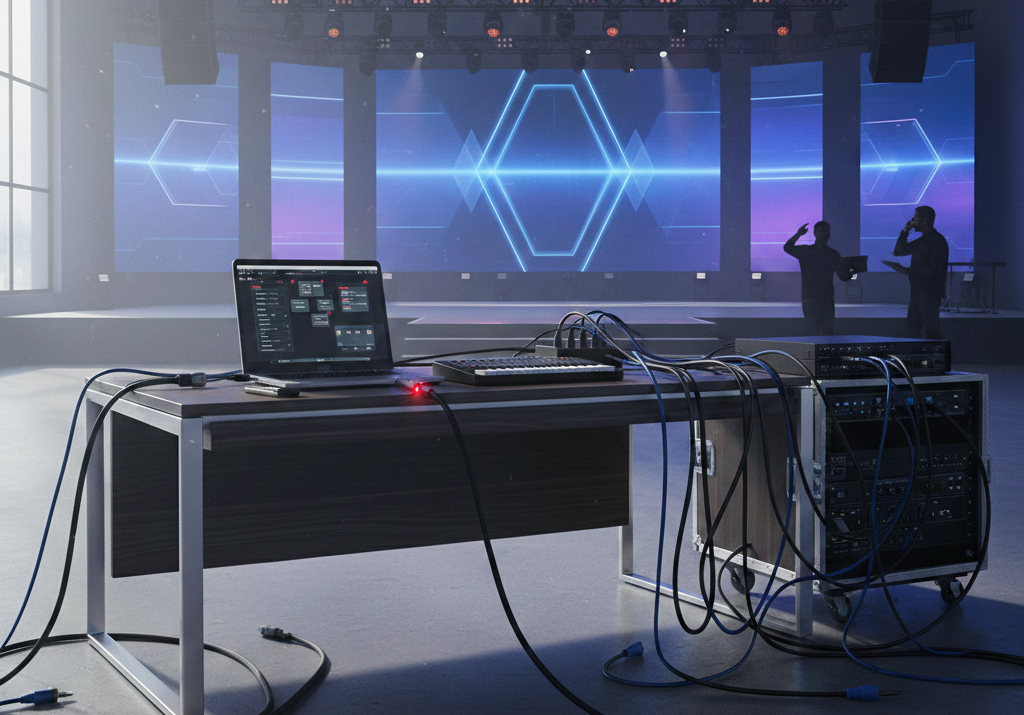
When ProPresenter’s MIDI or lighting control stops responding, it can bring an entire production to a halt. In live environments such as churches, concert venues, theaters, and corporate events, timing is everything. Slides must advance precisely, lighting cues must trigger on time, and visual transitions need to align with music or speech. When those integrations fail, the disruption is immediately noticeable to both operators and audiences.
ProPresenter is widely used because of its powerful ability to integrate with MIDI devices, lighting systems, and network-based control protocols. These integrations allow presentations to interact with stage lighting, trigger cues, automate transitions, and create immersive production experiences. However, that flexibility also introduces complexity. When MIDI signals or lighting commands fail to respond, the root cause can lie in hardware, software configuration, networking, permissions, or system conflicts.
Understanding why ProPresenter MIDI or lighting control is not responding requires a methodical approach. The issue is rarely random. Most failures trace back to misconfiguration, connectivity problems, incompatible settings, or overlooked system updates. This article explores those causes in depth and explains how to diagnose and resolve them with clarity and confidence.
Understanding How ProPresenter Communicates With MIDI and Lighting Systems
Before troubleshooting, it is important to understand how ProPresenter communicates with external devices. MIDI, or Musical Instrument Digital Interface, transmits digital messages such as note-on, note-off, control change, and program change data. These messages can trigger actions inside ProPresenter or be sent outward to other devices.
Lighting control typically operates through DMX, Art-Net, or sACN protocols. In many modern setups, ProPresenter sends network-based lighting data through Art-Net or sACN over Ethernet. This data reaches lighting consoles or fixtures configured to receive signals on specific universes and channels.
When everything is configured correctly, ProPresenter can trigger lighting changes when a slide advances, respond to a MIDI controller’s button press, or synchronize visual elements with stage lighting. When something in this communication chain fails, the system appears unresponsive even though the software itself may still be functioning normally.
Hardware Connectivity Issues That Disrupt Communication
One of the most common reasons ProPresenter MIDI or lighting control is not responding is simple hardware failure. Even in sophisticated production environments, a loose cable can be the culprit.
MIDI connections using traditional five-pin DIN cables must be connected correctly between MIDI OUT and MIDI IN ports. Reversing these connections prevents data from flowing in the intended direction. USB MIDI interfaces also introduce another layer of complexity, particularly if adapters or hubs are involved.
Network-based lighting control depends heavily on reliable Ethernet connections. Faulty cables, improperly terminated connectors, or failing network switches can interrupt Art-Net or sACN transmission. In many cases, replacing the cable resolves the issue immediately, yet the problem may have consumed valuable rehearsal time before being identified.
Power supply inconsistencies can also create intermittent behavior. USB devices drawing more power than the port can provide may connect and disconnect unpredictably. This behavior often appears as ProPresenter recognizing a device momentarily and then losing connection.
Device Recognition Problems at the Operating System Level
If hardware connections appear correct but ProPresenter does not respond, the next layer to examine is the operating system. Both macOS and Windows require proper driver installation and device permissions.
Modern operating systems increasingly restrict hardware access for security reasons. If ProPresenter does not have permission to access MIDI devices, the software may not receive any input. On macOS, this typically requires checking privacy and security settings to confirm that MIDI access is granted.
Driver incompatibility is another frequent issue. Some MIDI interfaces rely on proprietary drivers that may not be compatible with the latest operating system updates. If the operating system recognizes the device but ProPresenter does not, the issue often lies in driver conflicts or outdated firmware.
In certain cases, operating system updates can break previously stable configurations. After an update, previously functional MIDI or lighting control may suddenly stop responding. Verifying driver compatibility and reinstalling device drivers can often restore functionality.
Incorrect MIDI Configuration Within ProPresenter
Even when hardware is connected and recognized, ProPresenter requires proper internal configuration to respond to MIDI commands. The software must be set to listen on the correct MIDI ports and channels.
MIDI devices transmit data on specific channels, typically numbered one through sixteen. If ProPresenter is configured to listen on a different channel than the one being transmitted, incoming signals will be ignored. This mismatch often occurs when new hardware is introduced into an existing system.
Mapping is equally important. ProPresenter does not automatically assign every MIDI note or control change message to an action. Each button press or fader movement must be intentionally mapped to a slide trigger, media action, or cue. If the mapping has not been created or has been deleted accidentally, the device may appear unresponsive even though it is transmitting correctly.
Sometimes configuration changes are saved in one presentation file but not globally. When a new presentation is opened, previous MIDI mappings may not carry over, leading to confusion during live events.
Lighting Control Configuration Errors
Lighting integration introduces additional complexity beyond MIDI. When ProPresenter sends Art-Net or sACN data, the receiving lighting system must be configured to accept signals on the correct IP range, universe, and address.
IP addressing mismatches are one of the most frequent causes of lighting control failure. Network devices must exist within the same subnet to communicate effectively. If ProPresenter operates on a different IP range than the lighting console, packets may never reach their intended destination.
Universe mismatches also prevent communication. A universe in lighting terminology represents a block of DMX channels. If ProPresenter sends lighting data to universe one while the lighting console listens on universe two, the commands will never align. This type of misconfiguration can be subtle and difficult to detect without reviewing settings carefully.
Firewall settings can also block network-based lighting protocols. Operating system firewalls may restrict UDP traffic, which is used by Art-Net and sACN. Ensuring that these protocols are allowed through the firewall is critical for reliable communication.
Conflicts With Other Software Applications
In complex production environments, ProPresenter is rarely the only application running. Digital audio workstations, lighting visualization software, and background utilities may also access MIDI devices.
Some operating systems allow only one application to access a MIDI port at a time. If another program claims exclusive control of the device, ProPresenter may fail to receive any input. Closing other applications and retesting the connection can often reveal whether a software conflict exists.
Network congestion can also affect lighting control. If the production network carries heavy traffic from unrelated devices, lighting packets may experience delays or loss. Segmenting the production network from general internet traffic improves reliability and reduces interference.
Firmware and Software Version Incompatibilities
Firmware and software updates play a significant role in maintaining stable integrations. Manufacturers regularly release updates to improve compatibility and fix bugs.
If ProPresenter has been updated but connected devices have not, subtle incompatibilities may arise. Conversely, new hardware firmware may require the latest version of ProPresenter for full compatibility. Keeping all components within a compatible version range is essential.
Rolling back to a previous version can sometimes restore stability if a recent update introduced unexpected behavior. However, this should be approached carefully and tested thoroughly before live events.
USB Bandwidth and Power Limitations
Modern laptops often rely on shared USB controllers. When multiple devices such as audio interfaces, MIDI controllers, lighting dongles, and external drives connect simultaneously, bandwidth limitations may emerge.
Symptoms of USB saturation include intermittent disconnections, delayed response, or complete unresponsiveness. Using a powered USB hub can alleviate power-related issues, while distributing devices across multiple ports may improve bandwidth performance.
High-performance production environments benefit from dedicated hardware ports rather than inexpensive adapters. Investing in reliable connectivity infrastructure reduces the risk of unpredictable behavior during live events.
Network Infrastructure Considerations for Lighting Control
As lighting systems increasingly move toward network-based control, understanding basic networking principles becomes essential. Dedicated production networks reduce the likelihood of interference and improve reliability.
Static IP addressing ensures that devices maintain consistent communication pathways. Dynamic addressing can introduce unpredictability, especially if devices receive new IP addresses after a reboot.
Switch quality also matters. Consumer-grade network switches may not handle high volumes of broadcast traffic effectively. Managed switches designed for production environments provide better performance and diagnostic capabilities.
Diagnosing With Monitoring Tools
When troubleshooting becomes complex, monitoring tools provide clarity. MIDI monitoring applications display incoming and outgoing messages in real time. If the monitor shows data arriving but ProPresenter does not respond, the issue lies in internal configuration rather than connectivity.
Network packet analysis tools can reveal whether Art-Net or sACN packets are leaving the computer. If packets are transmitted but not received, the issue likely resides within the network infrastructure or receiving device configuration.
These diagnostic methods transform troubleshooting from guesswork into evidence-based problem solving.
Real-World Production Scenarios
Consider a scenario in which lighting cues fail to trigger during a rehearsal. Investigation reveals that a network cable was accidentally moved to a different switch port connected to the general office network. The lighting console remained on the production subnet, preventing communication. Restoring both devices to the same subnet resolved the issue immediately.
In another case, a MIDI foot controller stopped advancing slides. The controller’s firmware update reset its default MIDI channel to sixteen, while ProPresenter continued listening on channel one. Adjusting the channel alignment restored functionality within minutes.
These examples highlight a consistent theme. The software is rarely at fault. Instead, configuration changes, updates, or environmental adjustments disrupt communication pathways.
Preventative Measures for Long-Term Stability
Reliable production systems depend on documentation and consistency. Recording network configurations, universe assignments, and MIDI mappings prevents confusion when changes occur.
Testing setups before live events reduces risk. Running through lighting cues and slide triggers during rehearsal ensures that communication functions correctly under show conditions.
Limiting unnecessary system updates before major events is also wise. Stability often matters more than novelty in live production environments.
Training multiple operators enhances resilience. When knowledge is shared among team members, troubleshooting becomes collaborative rather than dependent on a single individual.
Emerging Trends in ProPresenter Integration
Live production technology continues evolving toward network-based ecosystems. Wireless MIDI solutions and IP-based lighting control provide flexibility but require deeper technical understanding.
Timecode integration allows ProPresenter to synchronize precisely with audio playback and lighting sequences. While powerful, these systems demand meticulous configuration. A minor mismatch in timecode settings can produce apparent unresponsiveness that is actually a synchronization error.
As productions grow more sophisticated, operators must balance creativity with technical discipline. Understanding signal flow and protocol behavior is as important as artistic vision.
When to Seek Professional Support
If thorough troubleshooting fails to resolve the issue, consulting professional AV integrators or technical support teams may be necessary. Persistent problems may stem from hardware defects or advanced network misconfigurations that require specialized tools.
Documenting observed behavior, error messages, and recent system changes helps technicians diagnose problems efficiently. Clear communication accelerates resolution and reduces downtime.
Conclusion
When ProPresenter MIDI or lighting control is not responding, the disruption can feel overwhelming. However, most issues arise from identifiable and correctable causes. By examining hardware connections, verifying device recognition, reviewing configuration settings, and ensuring network alignment, you can methodically isolate the problem.
Live production environments demand reliability. With disciplined setup practices, proper documentation, and regular testing, ProPresenter can serve as a powerful central hub for synchronized presentations and lighting control. Instead of reacting to failures, proactive system management ensures that cues trigger flawlessly, transitions align seamlessly, and your production runs with professional precision.