
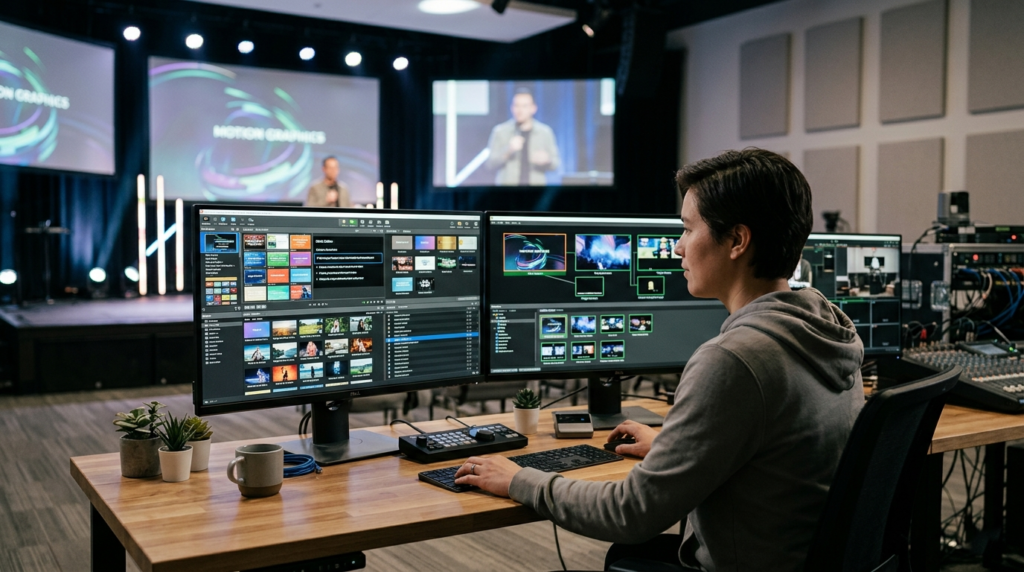
ProPresenter has become a central tool for churches, event producers, and broadcast teams that rely on live presentation software to deliver slides, lyrics, videos, and graphics during services and events. The platform is powerful because it handles real-time media rendering, multiple display outputs, and complex automation features. However, because it manages so many resources simultaneously, it can sometimes experience performance problems related to memory usage.
One of the most common technical concerns users encounter is a memory leak. A memory leak occurs when a program allocates system memory but fails to release it after the task has finished. Over time the application continues consuming more and more RAM, which eventually slows the system down or causes the program to crash entirely.
In a live production environment, this can be particularly disruptive. If ProPresenter crashes in the middle of a worship service, conference presentation, or live stream, it can interrupt the entire event. Understanding the common causes of memory leaks in ProPresenter is therefore essential for anyone responsible for running presentations during live events.
This article explores what memory leaks are, why they occur in presentation software, and the most common technical factors that contribute to memory leaks in ProPresenter. It also explains how users can reduce the risk of these issues and maintain a stable presentation environment.
Understanding Memory Leaks in ProPresenter
To understand why memory leaks happen, it helps to know how presentation software uses system memory. When ProPresenter runs, it loads various resources into RAM so that slides, videos, and graphics can appear instantly when triggered.
Each presentation slide may contain several elements, including text layers, fonts, background images, motion graphics, and transitions. Video playback requires even more resources because frames must be buffered in memory to ensure smooth playback without delays. When ProPresenter outputs to multiple screens, the system must render these elements several times simultaneously.
Normally, the software allocates memory for these assets only while they are needed. After a slide transition or media playback finishes, that memory should be released so it can be reused by the system. A memory leak occurs when the application fails to release those resources. Over time the memory usage continues to grow until system performance begins to degrade.
Because ProPresenter often runs for long periods during rehearsals, services, or conferences, even a small leak can eventually grow into a major problem.
Why Memory Management Matters in Live Presentation Software
Unlike traditional slideshow software, ProPresenter functions more like a real-time multimedia engine. It is responsible for rendering high-resolution graphics, handling live video playback, managing multiple displays, and communicating with external devices such as lighting consoles or streaming software.
These tasks require careful coordination between the CPU, GPU, and system memory. If the software does not manage memory correctly, performance problems begin to appear. Slides may take longer to load, videos may stutter, and the interface may become unresponsive.
In live production environments, reliability is essential. A presentation system must respond instantly when an operator triggers the next slide or cue. Memory leaks threaten this reliability because they slowly consume system resources until the application becomes unstable.
Understanding what causes these leaks can help users identify problems early and prevent failures during important events.
Extended Runtime Without Restarting the Software
One of the most common causes of memory leaks in ProPresenter occurs when the software runs continuously for extended periods. Many operators open the application early in the week while preparing for services and leave it running until the event takes place.
During this time the software repeatedly loads and unloads media assets, presentation files, and preview thumbnails. Even when these assets appear to close properly, small fragments of memory may remain allocated.
If ProPresenter remains open for many hours or even days, these small allocations can accumulate. The result is a gradual increase in RAM usage that eventually slows down the system. In some cases the application may reach the system’s memory limit and crash.
Restarting the application clears all temporary allocations and resets the memory state. This simple step can eliminate many performance problems that occur during long production days.
Large Media Libraries and Heavy Asset Management
Another major contributor to memory leaks in ProPresenter is the use of large media libraries. Many organizations store thousands of slides, images, and motion backgrounds inside the software’s library. While this is convenient for content management, it increases the amount of data the application must process.
When ProPresenter loads a library, it often generates preview images, indexes media files, and stores metadata for quick retrieval. These operations require memory allocation, and if the system does not release all of that memory correctly, the amount of RAM in use can grow over time.
High-resolution assets amplify the problem. Images designed for modern displays may be several megabytes in size, and motion backgrounds may include high-bitrate video files. When many of these assets are used during a single presentation, the system must constantly allocate memory to manage them.
If the library contains thousands of items or includes extremely large media files, the probability of memory usage growth increases significantly.
Motion Backgrounds and Continuous Video Playback
Motion backgrounds are widely used in worship and live event presentations because they add visual energy to slides. However, they are also one of the most resource-intensive features in ProPresenter.
When a motion background plays behind slide text, the software continuously loads video frames into memory and sends them to the graphics processor for rendering. This process repeats every second while the video loops.
If the rendering pipeline fails to release previously buffered frames, those frames remain stored in memory even after they are no longer needed. Over time the number of stored frames increases and the system begins consuming more RAM.
This issue becomes more noticeable when multiple slides use motion backgrounds or when several displays render the same video simultaneously. The more displays involved, the more rendering buffers the system must maintain.
Using optimized video formats and avoiding excessively high resolutions can help reduce the risk of memory growth during long presentations.
Plugin Conflicts and Third-Party Integrations
ProPresenter integrates with a variety of external tools that enhance automation and production control. These integrations allow the software to communicate with lighting systems, stream controllers, automation platforms, and remote control applications.
While these integrations expand the software’s capabilities, they also introduce additional complexity. External applications may send commands repeatedly or request data from ProPresenter at high frequencies. If the software allocates memory to process these requests but fails to release it properly, memory leaks can occur.
Automation platforms that trigger slides or macros throughout a service can sometimes amplify the issue. Every automated event requires internal processing, and repeated triggers may accumulate small memory allocations over time.
If memory usage grows rapidly when automation tools are active, the problem may originate from a plugin or integration rather than the core application itself.
Corrupted Cache or Preference Files
Like most complex applications, ProPresenter stores configuration data and temporary files on the system. These files include user preferences, cached media previews, and presentation metadata.
If these files become corrupted during a software update or unexpected shutdown, the application may repeatedly attempt to rebuild them. Each rebuild process can allocate new memory resources.
When this occurs repeatedly during a session, memory consumption can grow steadily. Operators may notice that the software behaves unpredictably or loads media more slowly than usual.
Clearing corrupted cache files and rebuilding the application’s configuration can often restore normal performance and eliminate unexplained memory growth.
Graphics Driver and GPU Rendering Issues
ProPresenter relies heavily on the graphics processing unit to render slides, videos, and stage displays. Modern GPUs handle much of the visual processing that once relied entirely on the CPU.
If graphics drivers are outdated or incompatible with the current version of the software, rendering operations may not behave correctly. In some cases textures and frame buffers are allocated in GPU memory but not released when slides change.
This type of problem is sometimes referred to as a graphics memory leak. It may not appear immediately in system RAM statistics, but it can still lead to performance problems or crashes.
Updating GPU drivers and ensuring compatibility with the operating system can resolve many rendering-related issues.
Operating System Compatibility Problems
Operating system updates can also affect memory management in presentation software. When macOS or Windows introduces changes to graphics frameworks, security permissions, or system APIs, older versions of ProPresenter may not interact with those systems efficiently.
Incompatibilities can lead to unusual behavior such as freezes, delayed transitions, or memory spikes during media playback. These issues are particularly common when users upgrade their operating system before updating the presentation software.
Running the latest stable version of ProPresenter that supports the current operating system reduces the likelihood of such conflicts.
Multiple Display Outputs and Rendering Pipelines
A unique feature of ProPresenter is its ability to output different content to multiple displays. For example, one screen may show slides for the audience while another shows stage cues or confidence monitors for speakers and musicians.
Each display requires a separate rendering pipeline. This means the software must maintain multiple frame buffers and graphical textures simultaneously. If any of these resources are not properly released during slide transitions or display reconfiguration, memory usage can grow.
The complexity increases as more outputs are added. Systems that drive several displays, streaming outputs, and stage monitors place significantly higher demands on memory and graphics resources.
Careful hardware configuration and testing can help ensure that the system handles these workloads efficiently.
Imported Presentation Files and Legacy Content
Another source of memory issues involves presentation files imported from other software platforms. Many users import slides from PowerPoint or migrate libraries from older versions of ProPresenter.
These imported files sometimes contain embedded media or formatting structures that do not translate perfectly into the new environment. When the software attempts to process these elements repeatedly, additional memory allocations may occur.
In some cases rebuilding the presentation directly within ProPresenter can eliminate hidden compatibility issues and reduce memory usage.
Software Bugs in Specific Releases
Even well-designed software occasionally contains bugs that lead to memory leaks. Because ProPresenter is a complex application with frequent updates, certain versions may introduce temporary issues that affect performance.
Users sometimes report memory growth after installing a new update or enabling recently added features. These issues are usually corrected in later patches once developers identify the problem.
For this reason many production teams avoid installing major updates immediately before important events. Testing new versions in advance helps ensure stability.
Recognizing the Warning Signs of a Memory Leak
Memory leaks usually appear gradually rather than suddenly. Operators may notice that ProPresenter becomes slower as a service progresses. Slide transitions may take slightly longer to respond, or the interface may feel less responsive.
System monitoring tools often reveal that RAM usage continues to climb throughout the session. If the trend continues without stabilizing, it usually indicates that memory is not being released properly.
Eventually the system may display warnings about low memory or the application may crash entirely. Identifying the problem early allows operators to restart the software before a failure occurs.
Preventing Memory Problems in ProPresenter
Maintaining a stable ProPresenter environment requires both proper system configuration and disciplined workflow practices. Regularly restarting the application before services clears temporary memory allocations and prevents long-term accumulation.
Optimizing media assets also plays a critical role. Images and videos should be compressed and sized appropriately for the display resolution. Extremely large files place unnecessary strain on system resources.
Keeping software and graphics drivers updated ensures compatibility with the operating system and reduces the likelihood of rendering problems. Regular maintenance of the presentation library, including removing unused media, helps keep the application efficient.
Conclusion
Memory leaks in ProPresenter can undermine the reliability of a live presentation system, but they rarely occur without a reason. Most issues arise from identifiable factors such as large media libraries, continuous video playback, plugin conflicts, outdated graphics drivers, or software bugs. Because ProPresenter handles complex multimedia workflows, it relies heavily on efficient memory management. Even small inefficiencies can grow into serious performance problems during long events.