
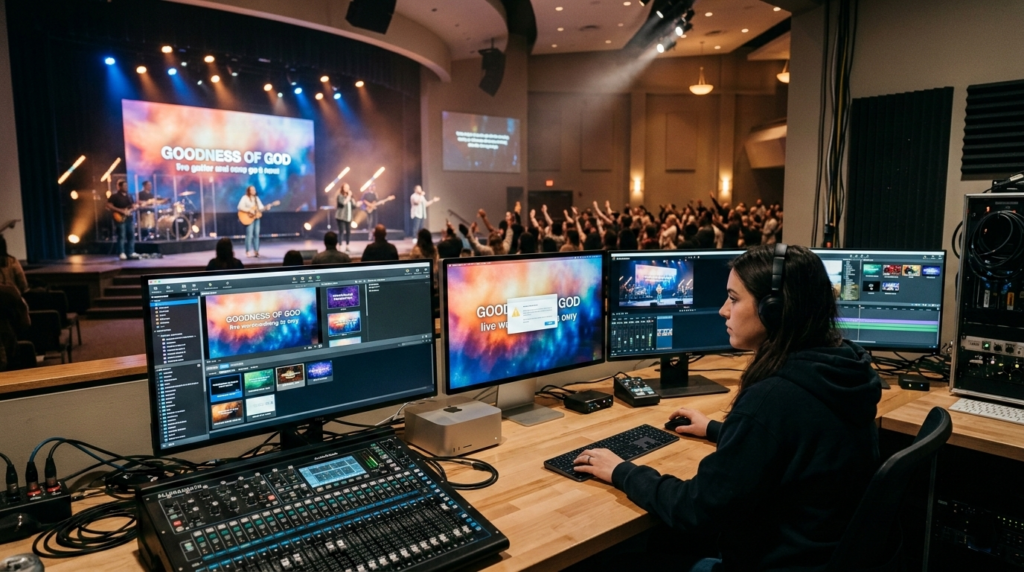
In modern worship environments, visual presentations have become an essential part of the service experience. Churches use presentation software to display song lyrics, sermon points, announcements, scripture passages, and multimedia content. One of the most widely used tools for this purpose is ProPresenter, a powerful church presentation platform designed to handle live production environments.
Despite its popularity and advanced capabilities, many church media teams occasionally encounter a frustrating issue: random hangups during a worship service. Slides may stop advancing, videos may freeze unexpectedly, or the software may become temporarily unresponsive. These interruptions can disrupt the flow of a service and place unnecessary pressure on volunteers or production staff operating the system.
While these problems may appear random, they are usually the result of identifiable technical or operational factors. Understanding the underlying causes can help churches prevent these issues and maintain a smooth presentation experience. This article explores the most common reasons ProPresenter freezes during services, explains why these problems occur, and offers practical insight into maintaining a stable system.
Why ProPresenter Performance Matters During Worship
Church presentation software operates in a live environment where there is little room for technical delays. Unlike typical office presentations, worship services require real-time responsiveness. The operator must move quickly between songs, scripture passages, sermon slides, and videos without interruption.
ProPresenter is designed to function more like a live media engine than a basic slideshow program. It processes multiple types of content simultaneously, including video backgrounds, lyric overlays, stage displays, and sometimes livestream graphics. All of these elements must update instantly when the operator triggers a new slide.
Because the system handles so many tasks at once, even small inefficiencies in hardware or media files can lead to momentary freezes. These pauses may only last a few seconds, but in the context of a live service they can feel much longer and disrupt the worship atmosphere.
Understanding how the software interacts with hardware, operating systems, and media files helps explain why these hangups occur.
Hardware Limitations and Performance Bottlenecks
One of the most common reasons ProPresenter freezes during a service is insufficient computer hardware. Many churches operate presentation systems on computers originally purchased for administrative work rather than media production. While these machines may technically run the software, they often struggle when handling high-resolution media and multiple display outputs.
ProPresenter depends heavily on processing power, memory, and graphics performance. When any of these components become overloaded, the software may pause while it attempts to process the requested action. This delay appears to the operator as a random hangup.
The processor plays a significant role because it handles slide rendering, transitions, and video decoding. If the CPU reaches maximum usage, the system cannot process new instructions quickly enough. Memory limitations can create a similar effect. When there is not enough RAM available, the computer begins swapping data to disk storage, which slows performance dramatically.
Graphics hardware is another critical component. Modern church presentations frequently include motion backgrounds, layered graphics, and multiple screens. If the graphics processor cannot handle the workload, ProPresenter may lag when advancing slides or playing videos.
Older computers that rely on integrated graphics are especially vulnerable to this issue. Integrated GPUs share resources with the CPU and system memory, which can quickly create performance bottlenecks during complex presentations.
Poorly Optimized Media Content
Media files used during worship services can significantly affect ProPresenter performance. Churches often download motion backgrounds, stock videos, or large images that were not designed for live presentation software.
High-resolution files, especially those recorded in 4K, require far more processing power than standard 1080p media. While these files may play smoothly in a video player, they can cause delays when combined with live text rendering and slide transitions.
Video encoding is another factor that can cause unexpected hangups. Some video formats require more processing resources to decode in real time. When ProPresenter attempts to render these files during a service, the system may momentarily freeze while decoding the video stream.
Large image files can create similar problems. Photos taken with professional cameras often contain far more detail than a projector or display screen can show. When these oversized images are imported into a presentation, the software must scale them down in real time, which consumes additional resources.
These types of media issues often remain unnoticed during preparation but become apparent when the system is under heavier load during a live service.
Complex Display Configurations
Modern church production setups often involve multiple displays running simultaneously. A typical system may include a main projection screen for the congregation, a confidence monitor for the speaker, and a stage display for musicians. Some churches also send graphics to livestream broadcasts or lobby monitors.
Each additional output requires the computer to render and maintain another video signal. When several displays are active, the graphics hardware must process multiple streams at once. If the system’s GPU is not designed for multi-display environments, performance can begin to degrade.
Display adapters and signal splitters can also introduce complications. Some churches duplicate video signals using inexpensive hardware splitters rather than dedicated outputs. This configuration can sometimes confuse the operating system or graphics drivers, which may lead to temporary freezes or display glitches.
Resolution mismatches between displays may also contribute to instability. If one monitor operates at a different resolution or refresh rate than the others, the graphics system may struggle to synchronize output signals properly.
These issues rarely appear during simple testing but can become noticeable when the full production setup is active during a service.
Running Multiple Production Applications
Church media computers often run several programs simultaneously. In addition to ProPresenter, the system may also be running livestream software, recording applications, or lighting control tools.
One common companion application is OBS Studio, which many churches use to stream services online. While this software is powerful, it can consume significant CPU and GPU resources when encoding video for streaming platforms.
When multiple demanding applications compete for the same hardware resources, performance conflicts can occur. The operating system must decide which program receives priority for processing power. During these moments, ProPresenter may pause briefly while the system reallocates resources.
This competition is especially noticeable when both applications attempt to access the graphics processor simultaneously. Video rendering, encoding, and slide transitions all rely on the GPU, and overloading it can easily cause temporary freezes.
Professional production environments often solve this problem by separating responsibilities across different computers. A dedicated machine handles presentation duties, while another system manages livestream encoding.
Software Updates and Compatibility Issues
Another potential cause of random hangups is software version compatibility. Presentation software evolves constantly, and updates often introduce new features or improvements. However, these updates may also introduce temporary bugs or conflicts with existing system configurations.
Operating system updates can also affect software performance. When a system receives a major update to macOS or Microsoft Windows, it may change how graphics drivers, video frameworks, or system permissions operate.
If ProPresenter has not yet been optimized for the latest system update, unexpected freezes may occur. These issues are often temporary and resolved in later software patches, but they can create challenges for churches that update systems immediately before a service.
Many experienced church media teams avoid installing updates close to important events. Instead, they schedule updates during the week and test the system thoroughly before using it in a live service.
Corrupted Slides or Media Assets
Occasionally, a presentation file itself may contain errors that cause ProPresenter to freeze. Slides that include improperly linked media files, damaged images, or incompatible video elements can trigger instability.
In some cases, a hangup consistently occurs when advancing to a specific slide. This pattern usually indicates that the slide contains a problematic asset that the software cannot process correctly.
Rebuilding the slide or reimporting the media file often resolves the issue. Clearing unused assets from the presentation library can also help reduce the risk of file corruption.
Because presentation libraries accumulate large numbers of songs and media files over time, periodic cleanup is an important maintenance practice.
Storage and Cache Problems
Another factor that can contribute to performance issues is disk storage management. Presentation software relies on temporary files and cache storage to process media efficiently.
If the computer’s hard drive becomes nearly full, the system may struggle to create the temporary files required for smooth playback. This limitation can lead to slow response times or short freezes during slide transitions.
Older systems that still rely on traditional hard drives may experience additional delays because mechanical disks are significantly slower than modern solid-state drives.
Large log files and accumulated cache data can also contribute to performance degradation over time. Clearing these files periodically helps maintain optimal performance.
Network and Peripheral Device Conflicts
Many churches now integrate ProPresenter with external hardware such as MIDI controllers, USB presentation remotes, or networked stage display devices. While these integrations add convenience and flexibility, they also introduce potential points of failure.
If a connected device loses communication with the computer, ProPresenter may pause briefly while attempting to reconnect. Network-based features, such as remote control applications or video distribution systems, may also contribute to instability if the network connection becomes unreliable.
Loose cables or unreliable USB hubs can create intermittent connectivity issues that appear as random software hangups. Ensuring that all devices are securely connected before a service begins helps prevent these disruptions.
Operational Practices That Contribute to Hangups
Technical problems are not the only reason ProPresenter freezes during services. Operational practices within the production team can also play a role.
Last-minute changes to presentations are a common source of problems. Importing large media files or editing slides immediately before a service increases the risk of errors or performance issues.
Skipping pre-service testing can also allow small problems to go unnoticed until the service begins. Running through the entire presentation during rehearsal allows operators to confirm that videos load correctly and slides transition smoothly.
Restarting the presentation computer before the service is another simple but effective practice. A fresh restart clears background processes and memory usage, ensuring the system starts the service with maximum available resources.
The Growing Complexity of Church Media Systems
Church production technology has advanced rapidly over the past decade. Presentation software now integrates with livestream platforms, lighting systems, and network-based video distribution tools.
While these capabilities provide tremendous creative flexibility, they also increase system complexity. Each additional feature introduces new hardware requirements and configuration considerations.
As churches continue expanding their production capabilities, maintaining a stable presentation environment requires careful planning and regular system maintenance.
Conclusion
Random hangups in ProPresenter during worship services can be frustrating, especially when they occur at critical moments in the service. Although these interruptions may appear unpredictable, they typically result from identifiable technical factors. Hardware limitations, poorly optimized media files, complex display setups, competing applications, and software compatibility issues are among the most common causes. Storage management, network stability, and operational practices can also influence system performance.