
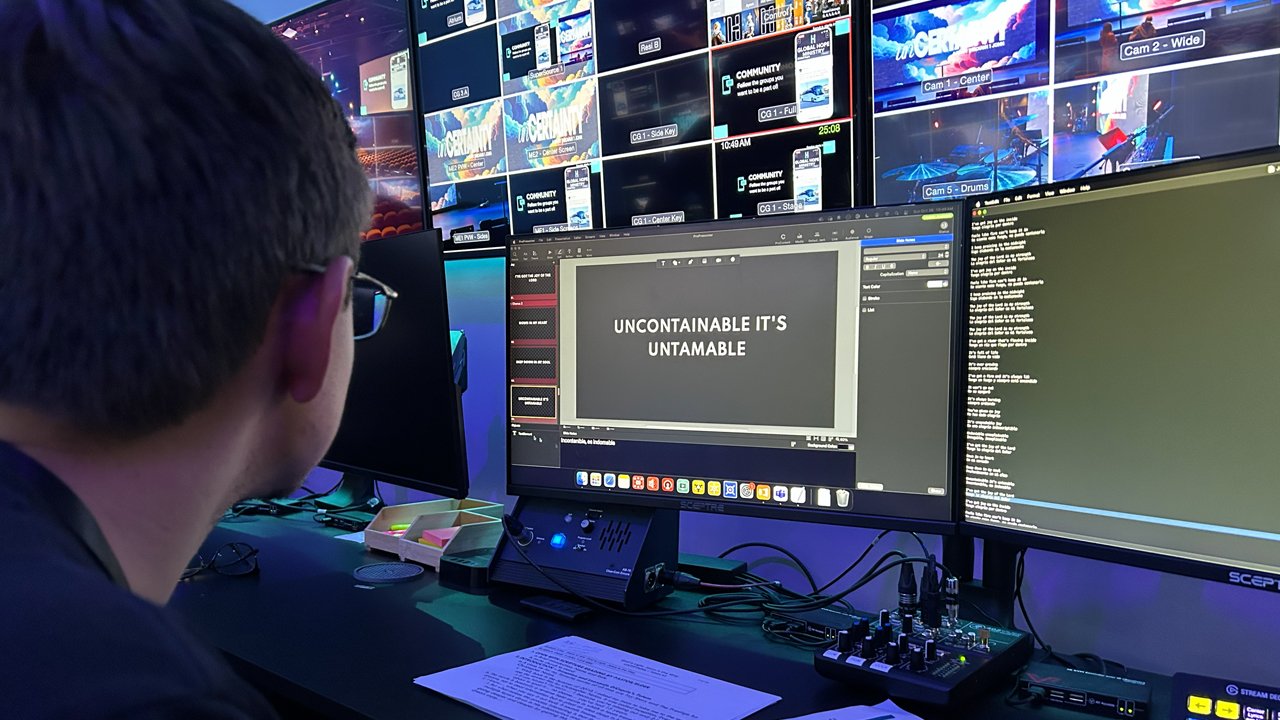
Transform Your Live Presentations With ProPresenter
ProPresenter is the industry-leading presentation software designed for live events, worship services, and broadcast productions. Deliver stunning visuals with unmatched reliability.
What Is ProPresenter Exactly?
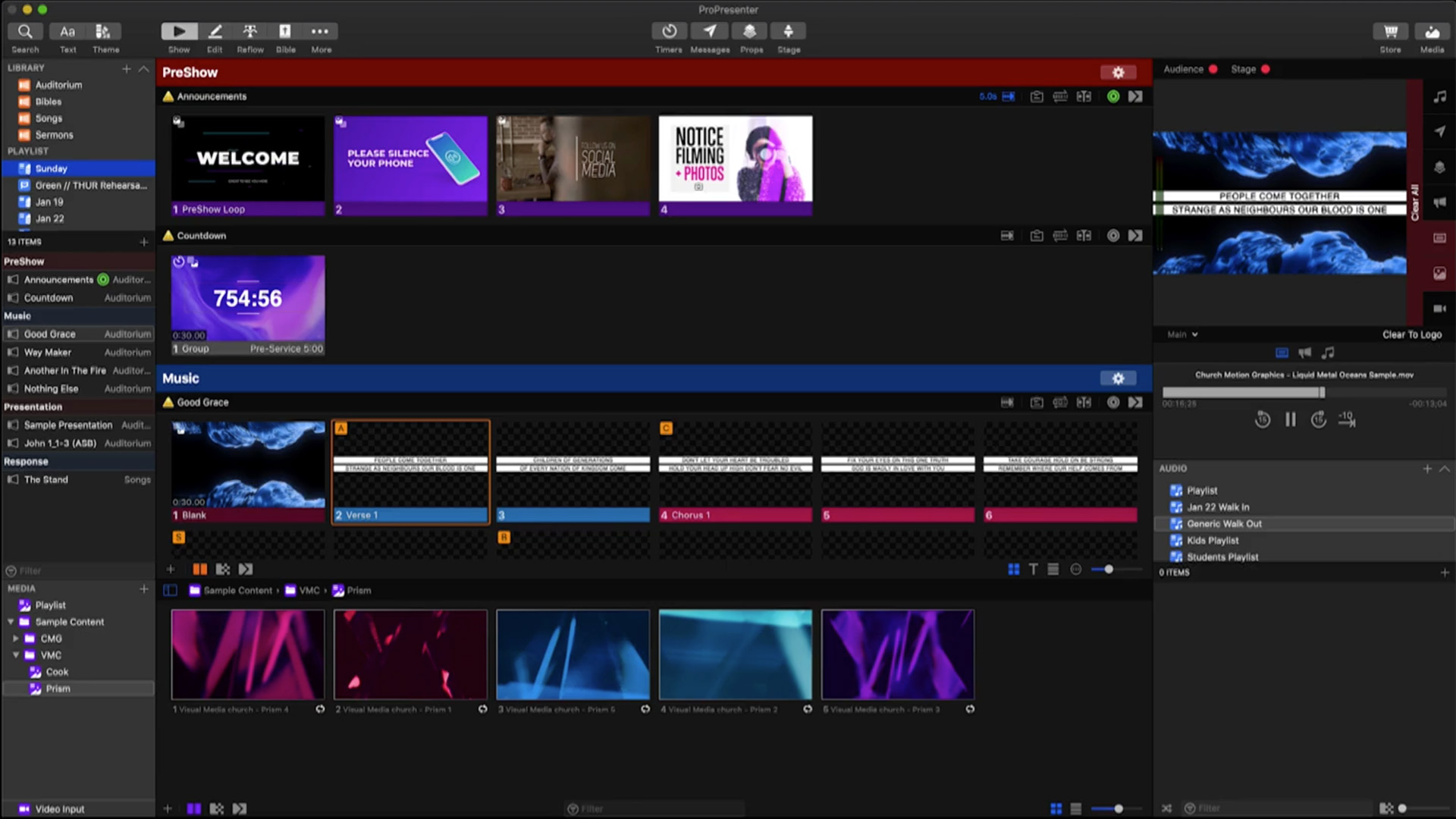
ProPresenter is a professional-grade live presentation application developed by Renewed Vision, designed from the ground up for high-pressure environments where reliability and visual quality are non-negotiable. Unlike traditional slideshow tools like PowerPoint or Keynote, ProPresenter operates as a real-time presentation engine built for worship services, concerts, corporate events, and broadcast productions.
At its core, ProPresenter separates the operator's control interface from the audience-facing output, allowing presenters to manage content on one screen while projecting a completely different view to the audience. This dual-screen architecture is what makes it indispensable for live production teams who need to make instant changes without the audience ever seeing the behind-the-scenes workflow.
Everything You Need for Live Presentation
ProPresenter combines powerful media playback, dynamic text rendering, and advanced stage management into a single, cohesive platform that handles the demands of any live production.
Dynamic Text Engine
Display song lyrics, scripture verses, and announcements with customizable fonts, shadows, outlines, and gradients. The text engine supports real-time formatting changes that update instantly on output screens without interrupting the presentation flow.
Media Playback
Play videos, images, and audio files directly within ProPresenter with frame-accurate control. The software handles multiple codecs and resolutions natively, including 4K content, without requiring external media players or conversion tools.
Layered Compositing
Stack multiple visual layers — backgrounds, text, videos, props, and masks — to create sophisticated on-screen compositions. Each layer operates independently, giving operators granular control over every element the audience sees.
Multi-Screen Output
Route different content to multiple screens simultaneously — main projection, stage monitors, lobby displays, and broadcast feeds can all show unique content from a single ProPresenter instance, each with independent layouts and timing.
Integrated Planning Center
Connect directly to Planning Center Online to import service plans, song lyrics, and media automatically. Changes made in Planning Center sync to ProPresenter in real time, eliminating manual data entry and reducing preparation time significantly.
Live Streaming Integration
Output a clean, broadcast-ready feed via NDI, Syphon, or SDI (with compatible hardware). ProPresenter generates a key-and-fill output perfect for professional live streaming setups, ensuring your online audience gets the same quality as in-person attendees.
Key Features That Set ProPresenter Apart
Every feature in ProPresenter has been refined over two decades of real-world use in thousands of live environments. These aren't checkboxes — they're production-proven tools.
Intelligent Lyric Presentation
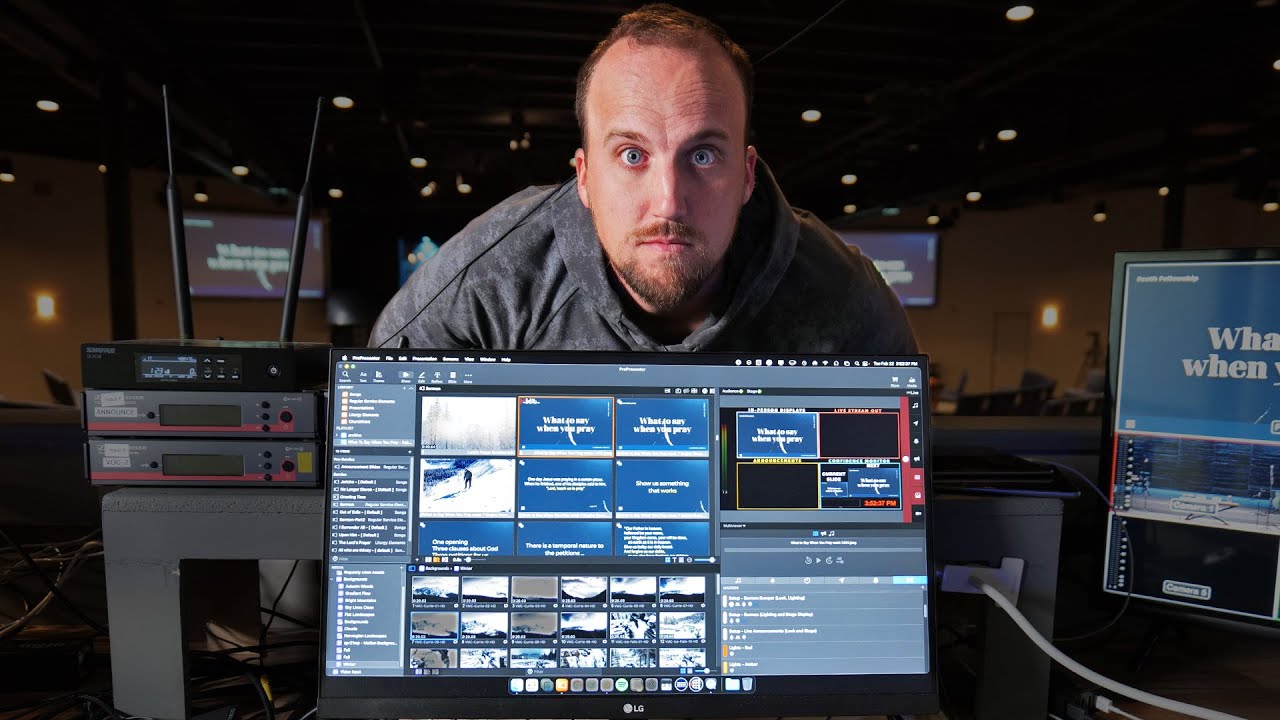
ProPresenter's lyric system goes far beyond basic text display. It automatically handles verse ordering, chorus repetitions, tag endings, and bridge transitions. The chord chart integration shows musician-friendly formatting on stage screens while the congregation sees clean lyric text on the main display. Import songs from CCLI SongSelect, Planning Center, or create custom arrangements with drag-and-drop simplicity.
- Automatic verse-chorus-bridge ordering
- CCLI SongSelect direct import
- Separate stage display with chord charts
- Real-time lyric editing during live presentation
Advanced Stage Display System
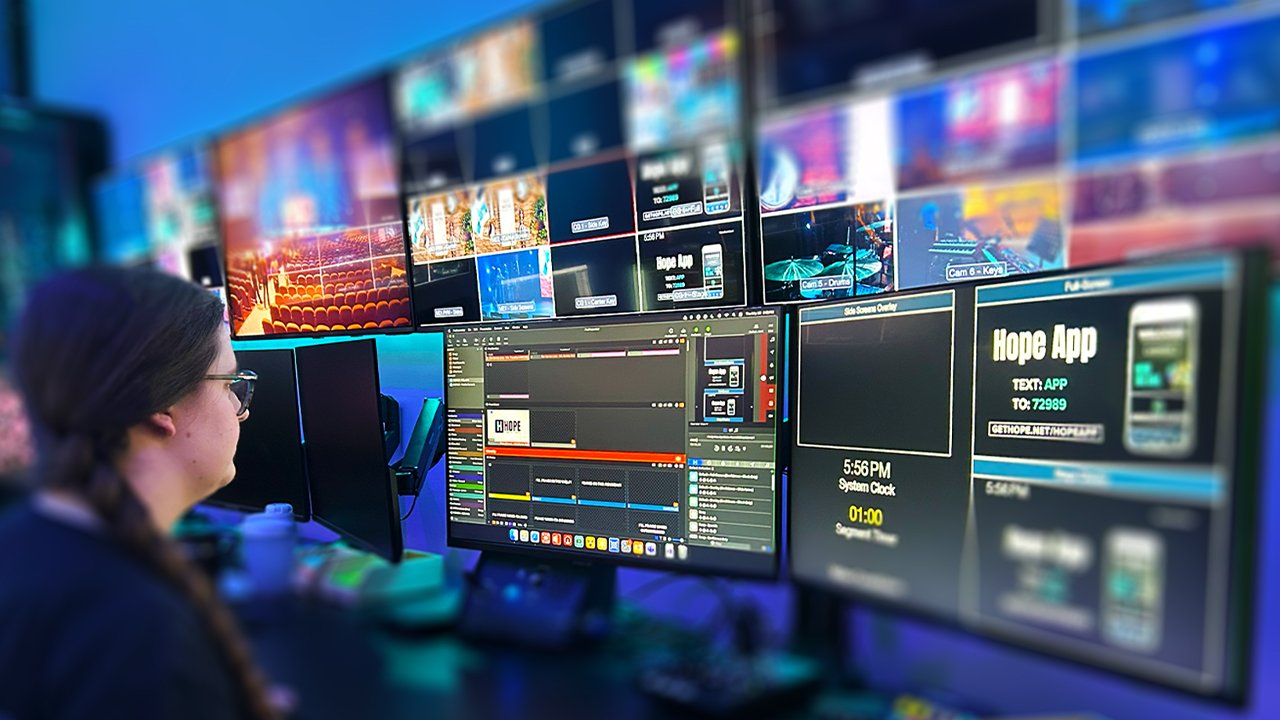
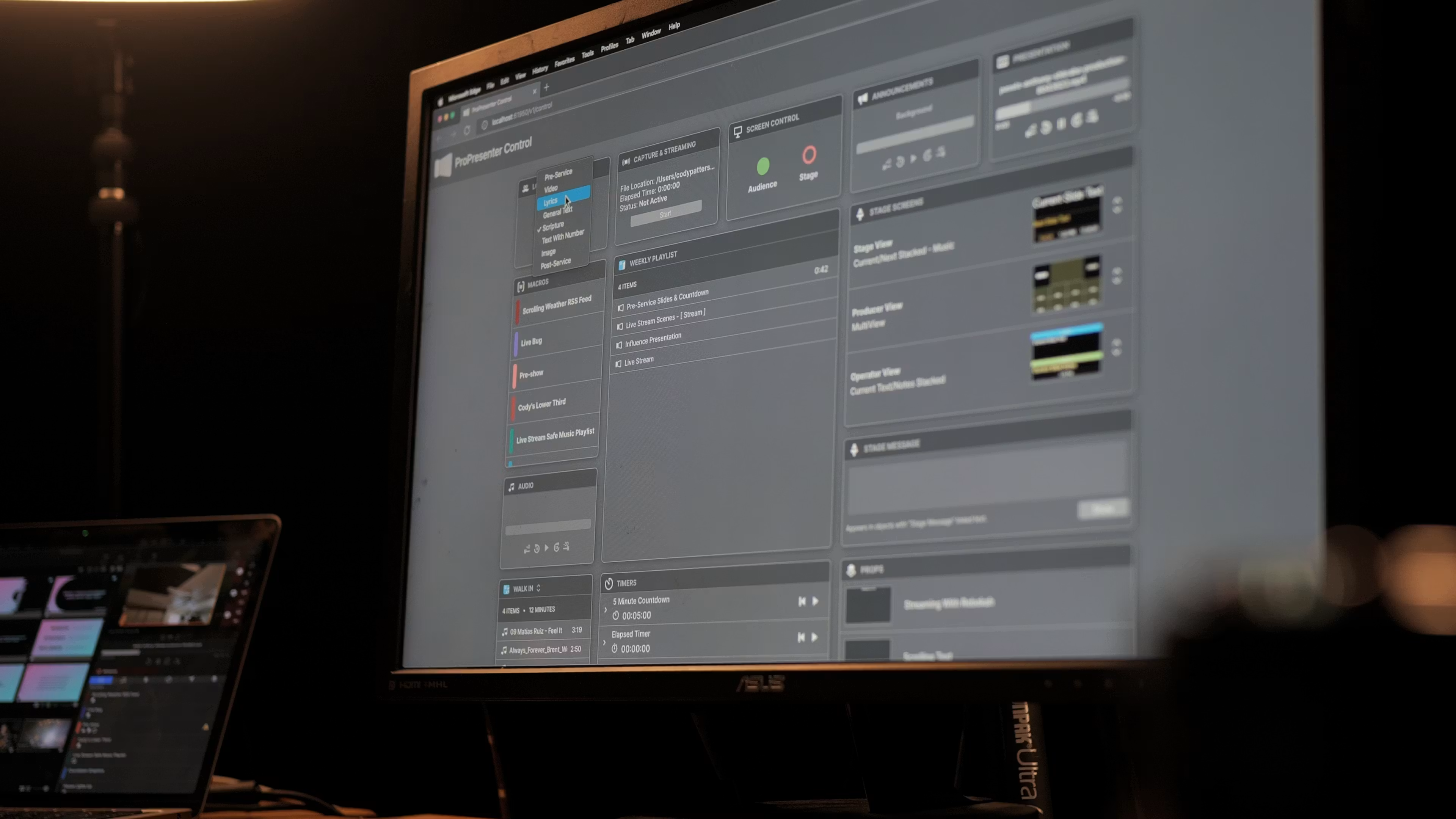
The Stage Display feature is a separate output feed designed specifically for speakers, musicians, and production crew. It shows current and upcoming slides, countdown timers, clock, speaker notes, and custom cues — all without affecting what the audience sees. Multiple stage display profiles can be configured for different team members, each showing only the information relevant to their role.
- Customizable stage display layouts
- Countdown and elapsed timers
- Speaker notes visible only to presenters
- Network-based stage display on iPads
Powerful Media Library & Organization
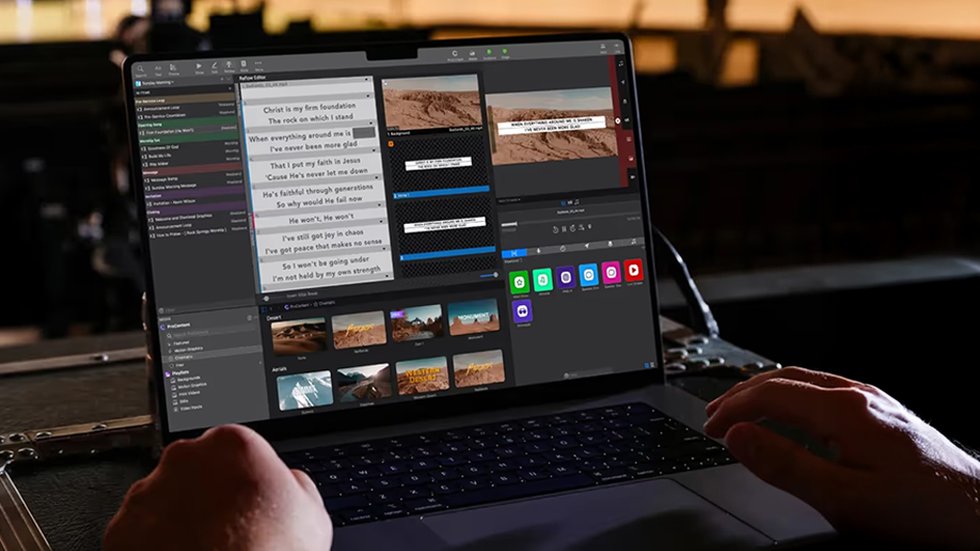
ProPresenter includes a robust media library with tagging, playlist management, and smart search capabilities. Media can be organized by service date, theme, category, or any custom tagging system your team prefers. The library supports instant preview, color-coded labels, and batch operations for efficient media management at scale. Cloud sync ensures all team members have access to the same media assets across multiple machines.
- Smart tagging and filtering system
- Cloud-synced media library
- Batch import and processing
- Instant preview without leaving the main view
Tangible Benefits for Your Production Team
ProPresenter doesn't just add features — it transforms how your team prepares for and executes live presentations. Here are the measurable advantages teams report after switching.
Reduced Prep Time
Planning Center integration and reusable templates cut service preparation from hours to minutes. Teams report saving 3-5 hours per week on presentation setup alone.
Zero Visible Mistakes
The operator-only interface means wrong clicks, typos, and navigation errors never reach the audience. What you preview is exactly what they see — no surprises.
Consistent Brand Quality
Template locks and style guides ensure every slide matches your church or organization's visual identity, regardless of which team member is operating.
Scalable Workflows
From a single volunteer at a small church to a multi-campus production team, ProPresenter scales with cloud collaboration, network rendering, and remote control capabilities.
How ProPresenter Works in Your Workflow
From initial setup to running a live service, here's how ProPresenter fits into a typical production workflow. The process is designed to be intuitive enough for volunteers while powerful enough for professionals.
Install & Configure Outputs
After installing ProPresenter on your Mac or Windows machine, configure your display outputs. The software detects connected projectors, screens, and broadcast hardware automatically. Set your audience output resolution, stage display layout, and any additional outputs like lobby or nursery feeds. This one-time setup takes about 10-15 minutes.
Import or Build Your Content
Connect your Planning Center account for automatic service plan imports, or build presentations manually using ProPresenter's drag-and-drop editor. Import lyrics from CCLI, add backgrounds from your media library, and arrange slides in the order you need. Templates make consistent styling effortless across all slides.
Rehearse & Refine
Use ProPresenter's rehearsal mode to step through the entire presentation before going live. Test transitions, verify media playback, check stage display content, and fine-tune timing. The clear-preview system lets you see exactly what the audience will experience before any content reaches the output screens.
Go Live With Confidence
During the live event, click slides to send them to the audience output. ProPresenter's architecture ensures only explicitly selected content reaches the screen — there are no accidental reveals or embarrassing moments. Use keyboard shortcuts, MIDI controllers, or the remote app for fast, reliable operation under pressure.

ProPresenter vs. Other Presentation Tools
Understanding how ProPresenter compares to popular alternatives helps you make an informed decision. Here's an honest feature-by-feature breakdown.
Advanced Features for Professional Productions
Beyond the essentials, ProPresenter offers a deep set of professional tools that production teams rely on for complex, multi-element live events.
Slide Transition Matrices
Create custom transition patterns between slide groups. Instead of a single global transition, define unique transitions between specific slides — fade into a video background, slide between lyric slides, or use a custom animation for announcements. Each transition can have independent timing and easing curves.
Scripting & Automation
ProPresenter supports AppleScript (macOS) and COM scripting (Windows) for automated workflows. Trigger slides from external software, integrate with lighting consoles, or build custom control interfaces. This scripting capability makes ProPresenter a node in larger automated production systems.
Multi-Site Campus Sync
For multi-campus organizations, ProPresenter's cloud infrastructure enables centralized content management. Upload a service package once and make it available to all campuses instantly. Each campus can customize locally while maintaining brand consistency across locations.
Template Locking & Brand Control
Administrators can lock template elements to prevent volunteers from accidentally modifying brand-critical design elements. Color palettes, font selections, and layout parameters can be restricted, ensuring visual consistency across all presentations regardless of who creates them.
Live Video Input & Switching
Bring live camera feeds directly into ProPresenter as slide backgrounds or picture-in-picture elements. With compatible capture hardware, you can switch between cameras, overlay graphics on live video, and output a complete program feed — turning ProPresenter into a basic video switcher.
Timers, Cues & Announcements
Set up countdown timers, message cues, and announcement overlays that can be triggered independently of the main slide flow. Show a 5-minute warning before service ends, display parent pickup numbers, or flash emergency alerts — all without disrupting the current presentation.
Honest Pros & Cons of ProPresenter
Pros
- Industry-standard reliability — built specifically for zero-failure live environments where crashes are unacceptable
- Unmatched multi-screen flexibility — route unique content to audience, stage, lobby, broadcast, and nursery displays simultaneously
- Deep Planning Center integration eliminates manual data entry and keeps content synchronized across your team
- Professional broadcast outputs (NDI, Syphon, SDI) make it viable for production-level streaming workflows
- Active development with regular updates — Renewed Vision consistently adds features and fixes based on user feedback
- Large, helpful community and extensive documentation make it easier to learn and troubleshoot
Cons
- Steep learning curve for new users — the depth that makes it powerful also makes initial setup intimidating for volunteers
- Premium pricing — the cost is significantly higher than basic presentation tools, which can be a barrier for small churches on tight budgets
- Hardware requirements — smooth 4K multi-output performance requires a capable Mac or Windows machine, not a basic office computer
- Mac and Windows versions have slight feature parity differences, though Renewed Vision has been closing this gap
- No native Linux support, which limits options for organizations running Linux-based production systems
- Cloud features require an active subscription, so some advanced collaboration tools are not available with a one-time license alone
Why ProPresenter Is Worth the Investment
When you evaluate presentation software, the real question isn't which tool has the most features — it's which tool you can trust when hundreds of people are watching and there are no second chances. ProPresenter earns that trust through architecture designed specifically for live performance.
Built for Live, Not Just Presentations
Every design decision in ProPresenter prioritizes live reliability over editing convenience. The clear-preview system, independent output rendering, and non-destructive workflow mean you never accidentally show your audience something you didn't intend.
Grows With Your Organization
Start with a single screen at a small venue and scale to multi-campus, multi-output, broadcast-integrated productions without changing software. ProPresenter's licensing and feature set accommodates growth rather than forcing you to migrate to a different platform.
Backed by a Committed Company
Renewed Vision has focused exclusively on ProPresenter for over two decades. They're not a general software company with presentation as a side project — this is their sole focus, which means better support, more frequent updates, and deeper understanding of user needs.
Production-Grade Reliability
Engineered for zero-failure environmentsWhat Production Teams Say About ProPresenter
We switched from PowerPoint three years ago and it completely changed our Sunday experience. Our volunteers picked it up faster than expected, and the Planning Center integration alone saves us hours every week. The stage display feature has been a game-changer for our worship team.

As a broadcast producer, the NDI output from ProPresenter is invaluable. We send a key-and-fill directly into our vMix setup and it works flawlessly every time. The alpha channel support for lower thirds and graphics overlay makes our stream look genuinely professional.

We run three campuses and ProPresenter's cloud sync keeps all our content aligned. I upload the service package on Thursday and every campus has it by Friday morning. The template locking ensures our brand stays consistent even with different operators at each location.

Frequently Asked Questions About ProPresenter
How much does ProPresenter cost?
What computers work with ProPresenter?
Can I use ProPresenter without an internet connection?
How does ProPresenter handle multiple screens?
Is ProPresenter difficult to learn for volunteers?
Can I import my existing PowerPoint or Keynote files?
Does ProPresenter support live video camera input?
Ready to Elevate Your Live Presentations?
Download a free 14-day trial of ProPresenter and experience the difference that professional-grade presentation software makes. No credit card required — full feature access from day one.
Available for macOS 12+ and Windows 10/11. Free 14-day trial with full features.